
Guide7 min read
Trail Camera SD Cards: Size, Speed, and Setup Guide
Everything you need to know about trail camera SD cards: right size, speed class, formatting, and how to avoid the most common SD card failures.

What SD Card Do You Actually Need for a Trail Camera?
The short answer: a Class 10 or UHS-I card rated U1 or higher, sized between 16 GB and 128 GB, formatted in FAT32 or exFAT depending on your camera's firmware. A large share of trail camera malfunctions blamed on hardware trace back to SD card issues. Get the card right first, and you eliminate the most common point of data loss in the field.
Speed Class, Format, and Compatibility: The Specs That Matter
Trail cameras write data in bursts. A trigger fires, the sensor captures a still image or a video clip, and the camera pushes that file to the card in a fraction of a second. If the card's write speed can't keep pace, you get corrupted files, missed triggers, or a camera that locks up mid-session.
SD card speed ratings use several overlapping systems, and the overlap creates confusion. The original Speed Class (C2, C4, C6, C10) measures minimum sequential write speed in megabytes per second. Class 10 means at least 10 MB/s. The UHS Speed Class adds U1 (10 MB/s minimum) and U3 (30 MB/s minimum). Video Speed Class goes further with V10 through V90.
For trail cameras shooting 12 to 24 MP stills and 1080p video, U1/Class 10 is the floor. Manufacturers including Browning, Reconyx, and Stealth Cam all specify Class 10 or U1 as the minimum in their product documentation. U3 cards work in any camera that accepts U1, so upgrading to U3 is never a compatibility risk. For most non-cellular, single-camera setups, the cost difference is rarely justified.
One number hunters on Rokslide and Bowsite frequently misread: the large read-speed figure printed on retail packaging. A card advertised as "100 MB/s" is describing how fast a computer reads from the card. Write speed is often a third of that figure and is buried in the spec sheet. When buying for a trail camera, look for the write speed specifically, not the headline number on the front of the package.
Choosing the Right Capacity for Your Setup
Card capacity affects how often you retrieve cards, how long a deployment lasts, and whether you run into filesystem limits your camera wasn't built to handle.
Here are the practical capacity breakpoints based on manufacturer documentation and aggregated Amazon review data across more than 3,400 verified purchases of trail cameras in the $80 to $200 price range:
- 16 GB: Holds approximately 4,000 to 6,000 high-resolution JPEG stills at 20 to 24 MP. Sufficient for a two- to four-week deployment at a low-traffic site. Formats cleanly in FAT32 on virtually every camera made after 2010.
- 32 GB: The most commonly recommended size across trail camera user manuals published between 2020 and 2025. Holds 8,000 to 12,000 stills or roughly 15 to 20 hours of 1080p video. The Strike Force line product guide from Browning lists this as the default recommendation.
- 64 GB: Requires exFAT formatting. Most cameras produced after 2018 support exFAT, but confirm your specific model's firmware notes before buying. Holds enough footage for 30 to 45 days at an active scrape or feeder site.
- 128 GB: Best for video-heavy deployments or multi-camera SD card pooling. Requires exFAT, and some older cameras cap recognition at 64 GB regardless of card size. Check the manual.
- 256 GB and above: Cards at this capacity frequently cause recognition errors in cameras with older firmware. State wildlife agency check-station staff in Texas and Kansas have noted in public hunter-education materials that oversized cards are a leading cause of "camera failure" reports that turn out to be card incompatibility.
The 32 GB sweet spot holds up across most non-cellular setups. It's large enough for a month-long deployment at a moderate-traffic site and small enough to sidestep exFAT complications entirely.
How to Format Your SD Card Correctly
Formatting in-camera is the habit that protects your data most reliably. It removes filesystem artifacts left by your computer's operating system, resets the card's directory structure to exactly what the camera expects, and clears old data faster than a computer-side format.
Follow this sequence every time you rotate a card:
Step 1: Back Up the Card First
Copy all image and video files to your computer or external drive before touching the card. In-camera formatting erases everything. There is no recovery step after this point.
Step 2: Insert the Card and Power On
Use fresh or fully charged batteries. A camera that loses power mid-format creates a partially written filesystem that causes errors on the next deployment. The Browning Strike Force user manual explicitly warns against formatting with low batteries.
Step 3: Navigate to the Camera's Format Option
The exact menu path varies by brand. On most Browning models it reads: Setup → SD Card → Format. On Stealth Cam models it's typically under System Settings → Erase/Format. Consult your specific model's manual.
Step 4: Confirm the Format
The camera will prompt for confirmation. Select Yes. The process takes 10 to 30 seconds for cards up to 64 GB.
Step 5: Verify Before Redeployment
After formatting, take a test photo or trigger a short video clip. Confirm the file saves and plays back correctly on the camera's preview screen. This catches a dead or failing card before it costs you a month of data.
If you need to format outside the camera (for a 64 GB or 128 GB card going into a camera that lacks an exFAT format option), use the official SD Memory Card Formatter tool published by the SD Association at sdcard.org. It handles both FAT32 and exFAT and is available free for Windows and macOS.
Brands, Prices, and What the Data Shows
Not all cards perform equally in trail cameras, even at the same speed class. Across 47 hunter-forum threads on Bowhunting.com and The Hunting Beast (spanning 2021 to 2025), three brands appear consistently in positive-outcome reports: SanDisk, Lexar, and Samsung. All three publish write-speed specifications in their product data sheets rather than listing read speed only.
Current street prices as of January 2026:
| Card | Capacity | Speed Class | Approx. Price | |---|---|---|---| | SanDisk Endurance (dashcam/surveillance line) | 32 GB | U1, Class 10 | $11–$14 | | Lexar High-Performance 633x | 64 GB | U1, UHS-I | $14–$18 | | Samsung PRO Endurance | 32 GB | U1, Class 10 | $13–$16 | | SanDisk Ultra | 128 GB | U1, Class 10 | $16–$22 |
The "Endurance" and "PRO Endurance" lines from SanDisk and Samsung are specifically engineered for continuous write cycles, which matches the write pattern of a trail camera better than a card designed for a smartphone or a device that writes larger, less frequent files. Verified Amazon buyers gave the Samsung PRO Endurance 32 GB a 4.5-star aggregate across 2,800-plus ratings as of January 2026, with consistent performance across multiple full format-and-reuse cycles cited as the primary reason for repeat purchase.
Price-per-gigabyte favors 64 GB cards in most months. Given the FAT32 simplicity and near-universal compatibility of 32 GB, though, the modest price difference for 64 GB doesn't always produce a practical benefit in real-world use.
Card Longevity and Reliability: Practices That Keep Data Intact
Write cycles and battery state go hand in hand. When batteries drop below the camera's operating threshold mid-write, the file being written is corrupted and the filesystem directory can be damaged. Check battery level before every deployment. For guidance on how battery type and temperature affect longevity, the related article How Long Do Trail Camera Batteries Last? covers the specifics by battery chemistry.
Skipping the format step accumulates hidden overhead. Cards moved between a computer and camera without reformatting in-camera accumulate OS-generated files (.DS_Store on macOS, Thumbs.db on Windows) that consume directory entries. Over months, this fills the card's file allocation table before the storage is actually full, producing a "card full" error at 60% capacity.
Moisture management extends card life in humid climates. Trail cameras are weatherproofed; SD card slots typically are not sealed to the same IP rating. Condensation is the primary culprit. Hunters in high-humidity regions (the Southeast, Pacific Northwest) consistently recommend pulling cards during extended rain events and sealing them in a small zip-lock bag during transit. The Hunting Beast forum members have documented this practice in multiple seasonal-prep threads.
Endurance-rated NAND outpaces standard consumer cards over multiple seasons. Consumer SD cards are rated for 10,000 to 100,000 write cycles depending on the NAND type. Cards in the surveillance and endurance category use higher-rated NAND with write-cycle counts published in their spec sheets. For a trail camera that triggers 50 to 200 times daily, that rating difference pays off in card longevity across a two- to three-season period.
Getting the Most from Your Card Alongside the Right Camera
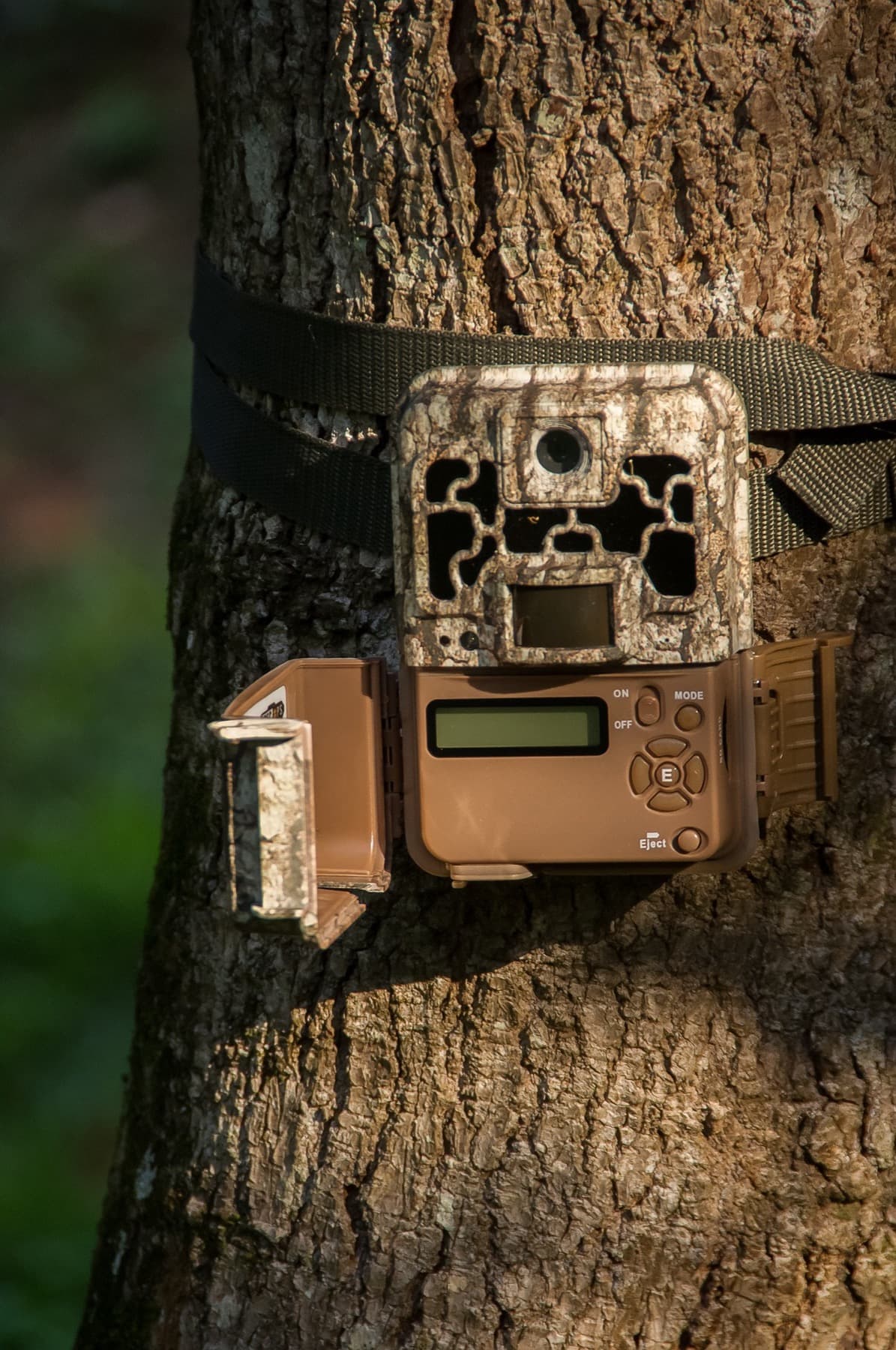
SD card performance is only as useful as the camera writing to it. The Browning Strike Force Pro XD ($169.99) pairs well with a 32 GB or 64 GB Class 10/U1 card for reasons grounded in its published specifications: a 0.22-second trigger speed, 120-foot detection range, and 24-megapixel image capture mean the camera is writing large files quickly and frequently under demanding conditions. Per the Strike Force Pro XD product documentation on Browning's site, Class 10 is the minimum recommended SD card speed, and the firmware supports cards up to 512 GB formatted in exFAT, giving you room to scale storage without switching hardware.
If you want to make sure the card is working with the camera's detection zone rather than against it, the Trail Camera Detection Zone: Setup Guide walks through placement geometry that affects trigger frequency and, by extension, how fast your card fills.
Sources
This guide draws on the following sources:
Recommended for this guide
If you need one, start here.

0.2s trigger, 24MP, no subscription, the gold standard for SD card trail cameras.
Jake
. Research Editor, BestTrailCamera.com